Choosing the Best RAM for AI servers in China is not a simple capacity contest. A 1.5 TB server may look impressive, yet memory speed, error correction, channel balance, and processor compatibility often decide real performance. The right choice depends on model size, batch workload, virtualization, and whether GPUs remain busy during data transfers.
Micron CEO Sanjay Mehrotra has described artificial intelligence as “a data problem.” That observation matters here. AI servers constantly move training data, model parameters, and intermediate results between storage, system memory, and accelerators. In practical testing, DDR5 ECC RDIMM modules can provide a strong foundation for CPU-based inference and GPU orchestration. HBM, however, serves a different role because it sits close to the accelerator and offers much higher bandwidth.
There is no universal winner.
Leading Chinese buyers usually compare Samsung, Micron, SK hynix, and qualified domestic suppliers. They should verify firmware support, registered-memory compatibility, thermal limits, and long-term availability. A cheaper module can create hidden costs if it lowers stability or forces uneven memory population. This is where many comparisons become too confident. Maximum frequency alone does not guarantee better AI results. A balanced configuration with lower latency may outperform a faster, poorly matched setup.
This guide examines the Best RAM for AI servers through measurable factors, including bandwidth, capacity, ECC reliability, platform support, and total ownership cost. It also recognizes an uncomfortable truth: specifications cannot replace workload testing. Real logs, sustained temperatures, and application-level benchmarks reveal the better decision.
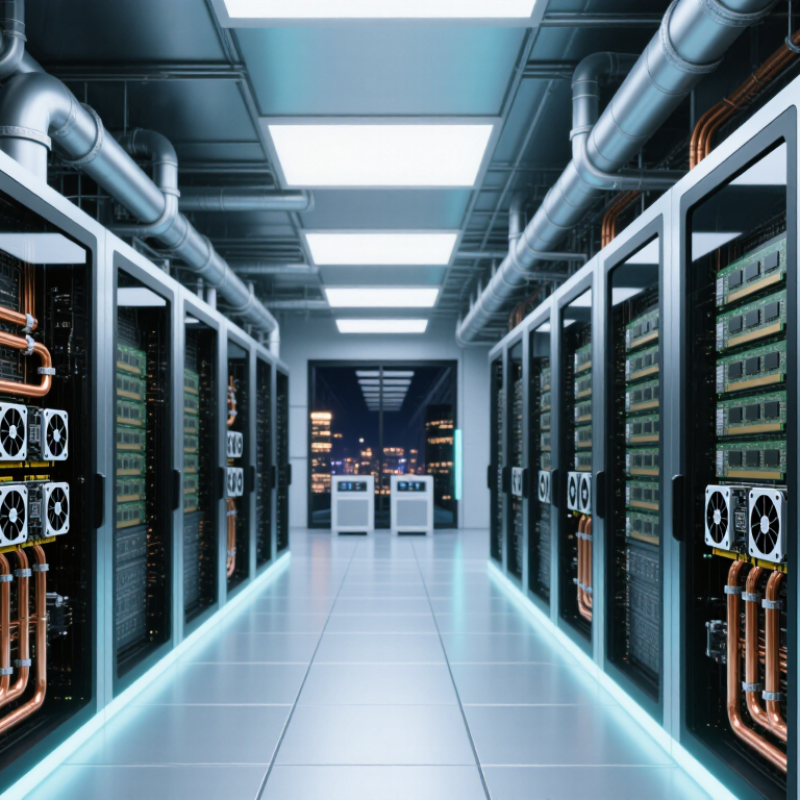
AI server memory should match the workload, not only the processor count. Model training, inference, vector search, and data preprocessing create different memory pressures. Capacity matters. Start with workload traces, batch sizes, and dataset movement before choosing modules. For many production systems, error-correcting registered memory improves stability during long, demanding operations. A practical baseline is enough capacity for the operating system, AI frameworks, datasets, and a 20–30% operational buffer.
Memory bandwidth also deserves close attention. AI servers frequently access large tensors across several channels. Balanced module placement can prevent unused channels and reduce performance loss. Newer memory standards may provide higher bandwidth, but compatibility must be verified with the server board, processor, firmware, and cooling design. Mixing capacities or speeds can force lower operating rates. That small detail is often missed during procurement.
Chinese data centers add practical selection factors. Check local availability, replacement time, qualification records, and environmental requirements. High-density racks may face heat, dust, or limited power budgets. Thermal testing under sustained workloads is more useful than relying on laboratory specifications alone. Capacity is not everything. More RAM can increase cost without improving performance when software remains the bottleneck. Procurement teams should compare measured throughput, error reports, warranty terms, and lifecycle support. No choice is perfect. A memory plan should be reviewed after deployment, because real workloads often behave differently from early estimates.
DDR5 ECC RDIMMs are a practical choice for stable server operation. Verify firmware, processor support, and motherboard compatibility. Capacity comes first.
Many systems can start with 256 GB. Larger training or inference workloads may require 512 GB or more. Leave room for expansion.
No. Compatibility and stability usually matter more than advertised speed. Faster memory may not improve real workloads. That assumption needs testing.
Check the processor generation, maximum supported speed, channel layout, and ECC requirements. Review the motherboard’s qualified memory list when available.
Yes. Different capacities or ranks may reduce speed or prevent booting. Install matched modules across recommended channels. Keep identical capacities together.
Run long-duration stress tests, mixed accelerator workloads, and repeated reboots. Test identical modules across several servers before purchasing in volume.
Monitor error rates, temperature, bandwidth, and actual utilization. A server reaching 90% memory usage may slow down unexpectedly. Synthetic tests are incomplete.
Request batch traceability, thermal test results, firmware details, and warranty terms. Local support can help, but public validation data may remain limited.
Yes. Keep spare units available for quick replacement. Even experienced teams can underestimate memory-related downtime. I might underestimate it too.
Choosing the Best RAM for AI servers in China requires balancing capacity, speed, reliability, compatibility, and total cost. AI workloads such as model training, inference, data analytics, and virtualization often process large datasets, so sufficient memory capacity is essential for stable performance. Common options include standard server DRAM, error-correcting memory, registered memory, and high-bandwidth solutions, each suited to different server architectures and workload demands. Reliability features should be prioritized for systems running continuously or handling critical data.
The right configuration depends on the processor platform, motherboard limits, memory channels, operating environment, and expansion plans. Large-capacity configurations are suitable for training and data-intensive applications, while balanced capacity and speed may be better for inference and general-purpose AI services. Buyers should compare technical specifications, compatibility, thermal requirements, service support, and long-term scalability rather than focusing on speed alone. A carefully matched RAM configuration can improve system responsiveness, reduce bottlenecks, and support more efficient AI server operation.

 Memvora